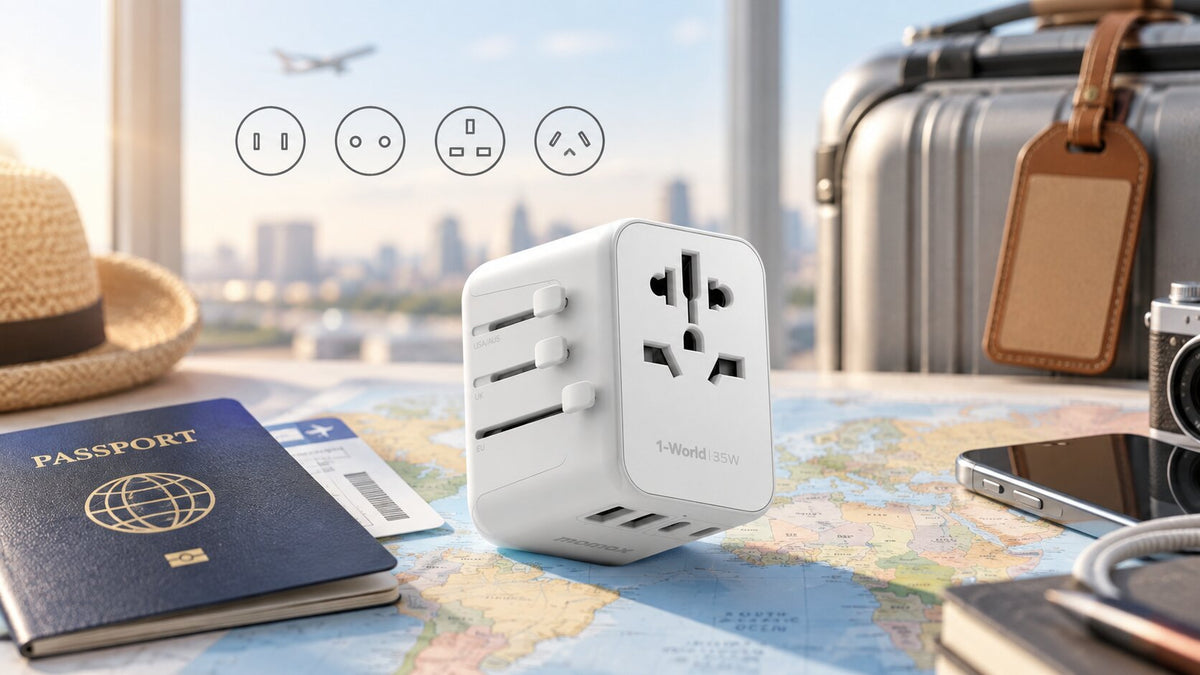

Travel charging usually feels simple right up until it isn’t.
At home, you plug in your phone, laptop, watch, or camera without giving it much thought. Abroad, the same routine can suddenly involve a different wall socket, unfamiliar voltage, a laptop that charges too slowly, or a power bank you are not sure you can take on the plane.
The good news is that international charging becomes much easier once you separate the different problems.
There are really four things to think about: the plug, the local electrical supply, the power your charger can deliver, and the connection between the charger and your device.
Get those right, and most of the confusion disappears.
This travel charging guide explains how those pieces fit together, from plug types and voltage to USB-C, USB Power Delivery, GaN, laptop charging, and power bank rules.
The Short Version
Before you travel, check these six things:
| What to check | Why it matters |
|---|---|
| Plug type | Your charger needs to physically fit the wall socket |
| Voltage and frequency | Your charger or appliance needs to accept the local electricity supply |
| Charger output | The charger needs to provide enough power for your device |
| Cable capability | The cable can limit charging even when the charger is powerful enough |
| Maximum load | High-power appliances may exceed an adapter’s rating |
| Battery rules | Power banks are subject to airline restrictions |
A useful way to picture the whole process is:
Wall socket → adapter or plug → charger → cable → device
If one part of that chain is incompatible, charging may be slower, may not work at all, or may be unsafe.
Why Charging Changes When You Travel
There is no single global standard for household electricity.
Countries developed their power systems at different times and under different technical standards, which is why wall sockets, mains voltage, and electrical frequency vary from place to place.
The International Electrotechnical Commission documents the different plug and socket systems used across its member countries.
For travelers, the practical consequence is simple: crossing a border can change more than the shape of the outlet.
Two neighboring countries may use different plug systems. Two places with similar-looking sockets may still have different electrical characteristics. Hotels and older buildings can introduce even more variation.
That is why it helps to stop thinking of travel charging as an “adapter problem.”
The adapter is only one part of the system.
Plug Types, Travel Adapters, and Voltage Converters
Common International Plug Types
Plug types are usually identified by letters such as A, B, C, D, E, F, G, I, J, and L.
Some of the most common systems travelers encounter include:
| Plug type | Typical design | Common destinations |
|---|---|---|
| Type A / B | Flat parallel pins | United States, Canada, Mexico, Japan and parts of the Americas |
| Type C | Two round pins | Common across Europe and parts of Asia, Africa and South America |
| Type E / F | Round-pin systems | France, Germany, Spain, Netherlands and many other European countries |
| Type G | Three rectangular pins | United Kingdom, Hong Kong, Singapore, Malaysia and others |
| Type I | Angled flat pins | Australia, New Zealand, China and selected regions |
| Type D | Three round pins | India and selected destinations |
| Type J | Three round pins | Switzerland and Liechtenstein |
| Type L | Three inline round pins | Italy and selected destinations |
This table is useful for orientation, but real-world compatibility is not always as neat as matching one country to one letter.
Some countries use more than one socket type, and certain plug designs can work with more than one related socket system. If your trip includes several countries, check each stop individually instead of assuming an entire region uses the same plug.
Travel Adapter vs. Voltage Converter vs. Charger
These terms are often used interchangeably, but they solve different problems.
| Device | What it does | When it matters |
|---|---|---|
| Travel adapter | Changes the physical plug connection | When your plug does not fit the local socket |
| Voltage converter | Changes electrical voltage | When an appliance cannot accept the local voltage |
| Charger | Converts mains electricity into power your device can use | When charging phones, tablets, laptops and other electronics |
A travel adapter changes the physical connection between your plug and the wall socket.
If your charger has a plug designed for one country and the outlet uses another format, the adapter lets the two connect.
What it usually does not do is change the voltage coming from the wall.
That distinction matters because a plug can fit perfectly while the connected appliance is still incompatible with the local electrical supply.
For modern electronics, this is often less complicated than it sounds. Many phone, tablet, and laptop chargers already support a wide input-voltage range, so travelers often need to solve the plug problem rather than the voltage problem.
High-power appliances such as hair dryers can be a different story.
Voltage, Frequency, and Maximum Load
Check the Input Label
One of the most useful pieces of travel information is already printed on your charger.
Look for a line that says something like:
Input: 100–240V ~ 50/60Hz
If you see that, the charger is designed to accept mains voltage across that range.
For most modern phone, tablet, and laptop chargers, this means they can be used in many countries without a separate voltage converter, provided the local supply falls within the stated range.
You may still need an adapter to physically connect the charger to the wall.
Where people get into trouble is assuming that every electrical device works the same way.
It does not.
Hair dryers, curling irons, shavers, kettles, heating appliances, and older electrical products may support a much narrower voltage range.
If you are unsure, trust the label on the device rather than a general rule you found online.
What 50Hz and 60Hz Mean
The second part of that input label refers to electrical frequency.
Different countries commonly use either 50Hz or 60Hz mains electricity.
If your charger says 50/60Hz, it is designed to operate with either.
For everyday electronics such as phone and laptop chargers, that usually requires no extra thought.
Frequency can matter more with certain appliances that use motors, timing mechanisms, or components that depend directly on mains frequency.
Again, the label is your best guide.
Don’t Overlook Maximum Load
Voltage compatibility is not the only electrical limit worth checking.
Adapters and electrical accessories also have maximum current and power ratings.
For a phone charger, this usually is not a major concern. For a high-powered appliance, it can matter a lot.
A hair dryer or kettle can draw far more power than a phone, tablet, or laptop charger.
Before using a high-load appliance through an adapter, check the adapter’s rated voltage, current, and maximum supported power.
The basic relationship is:
Power (W) = Voltage (V) × Current (A)
In other words, “the plug fits” is not the same thing as “this adapter is suitable for the appliance.”
USB-C, USB Power Delivery, and Wattage
USB-C Doesn’t Mean Every Charger Is the Same
USB-C has made international travel much easier.
A single connector is now used by phones, tablets, laptops, cameras, headphones, handheld consoles, and many other devices. That makes it possible to travel with fewer cables and fewer separate power bricks.
But there is one important catch:
USB-C tells you what the connector looks like. It does not tell you how much power it can deliver.
Two USB-C ports may look identical and perform very differently.
The same is true for cables.
One cable may be perfectly fine for charging a phone but not support the power needed by a laptop.
A good USB-C setup therefore depends on three things working together:
charger, cable, and device.
MOMAX’s range of USB-C chargers and adapters shows how different port counts and power levels are used for different charging needs.
How USB Power Delivery Works
USB Power Delivery, usually shortened to USB PD, allows compatible devices and chargers to negotiate how much power should be supplied over USB-C.
According to the USB Implementers Forum, USB PD 3.1 can support power delivery of up to 240W with compatible equipment and cables.
That figure is the maximum supported by the standard. It does not mean every USB-C charger, cable, or device operates anywhere near 240W.
In practice, charging performance depends on the weakest part of the chain.
A 100W charger connected through a lower-rated cable will still be limited by that cable. Likewise, a phone that accepts much less power will not suddenly charge at laptop-level wattage just because it is connected to a high-output charger.
How Much Power Do You Actually Need?
There is no universal “best” wattage for travel.
The easiest way to work it out is to start with the most demanding device you carry.
For many travelers, that is the laptop.
If your laptop normally comes with a 65W charger, that gives you a useful reference point. If it ships with a higher-powered adapter, your needs may be different.
Then think about what else needs power at the same time.
Charging a phone is one thing.
Charging a laptop, phone, and tablet together is another.
This is also where the difference between total output and per-port output becomes important.
A charger may advertise a high overall wattage, but that power can be divided when multiple ports are in use.
So if you expect to charge several devices at once, do not look only at the largest number printed on the charger. Check how the power is shared.
Laptop Charging While Traveling
A phone that charges slowly is inconvenient. A laptop that cannot keep up with your workday can become a much bigger problem.
Before relying on one USB-C setup for your laptop, check four things.
1. Whether the laptop actually supports USB-C charging.
A USB-C port can support different functions, and not every one is necessarily designed to accept power.
2. How much power the laptop normally uses.
The original charger is usually a useful reference. If your laptop ships with a 65W adapter, for example, replacing it with a much lower-powered source may result in slower charging.
3. Whether the cable can carry that power.
Even if the charger and laptop support higher-power charging, an unsuitable cable can become the bottleneck.
4. What happens when other devices are connected.
Multi-port chargers often redistribute power. Plugging in a phone or tablet can reduce the amount available to the laptop.
For people who work while traveling, it usually makes sense to plan around the laptop first and fit smaller devices around it.
GaN and Multi-Device Charging
Where GaN Fits In
GaN stands for gallium nitride, a semiconductor material increasingly used in modern chargers.
For travelers, the appeal is straightforward: GaN can help support high power output in a relatively compact design.
That can make it easier to replace several bulky chargers with one smaller setup.
Still, “GaN” is not a shortcut for “good charger.”
Power output, port layout, USB standards, power sharing, cable support, and overall electrical design all matter just as much.
The GaN chargers in MOMAX’s range show some of the different ways high-power and multi-port charging can be arranged.
When One Outlet Has to Charge Everything
This is often the travel problem people actually notice.
You arrive at a hotel with one useful wall socket beside the desk and several devices that all need charging before morning.
- A family may have phones, tablets, watches, headphones, and a gaming device.
- A photographer might also have camera batteries.
- A business traveler probably cares most about the laptop and phone.
The useful question is not:
How many devices did I pack?
It is:
How many of them need to charge at the same time?
That difference can save you from carrying more charging equipment than you actually need.
A smartwatch with several days of battery life does not necessarily need its own charging port every night. A heavily used laptop probably does.
Planning for Different Types of Trips
A business traveler and a family on holiday can visit the same country and still need completely different charging setups.
| Traveler | Main concern | What usually matters most |
|---|---|---|
| Business traveler | Keeping core devices ready between meetings | Reliable laptop and phone charging |
| Digital nomad | Running several devices every day | Higher total output and multiple ports |
| Family traveler | Many devices charging overnight | Simultaneous charging capacity |
| Carry-on-only traveler | Limited luggage space | Fewer chargers and cables |
| Creator or photographer | Cameras, batteries, phone and laptop | Port variety and backup planning |
| International leisure traveler | Unfamiliar plug and voltage systems | Simple compatibility |
| Safety-conscious traveler | Battery and electrical risk | Clear ratings and airline rules |
There is no one “perfect” travel charging setup because people are solving different problems.
The right approach depends on where you are going, what you carry, and how you use it.
Multi-Country Travel and Cable Planning
One of the easiest mistakes to make is assuming nearby countries use the same electrical system.
Sometimes they do. Sometimes they do not.
A multi-stop European trip, for example, can involve more than one socket system even when the countries are only a short train ride apart.
The same is true in other regions.
Before leaving, make a quick itinerary table:
| Destination | Plug type | Voltage / frequency | Charger compatible? | Adapter needed? |
|---|---|---|---|---|
| Country 1 | Check | Check | Yes / No | Yes / No |
| Country 2 | Check | Check | Yes / No | Yes / No |
| Country 3 | Check | Check | Yes / No | Yes / No |
It takes a few minutes and is far more reliable than planning by continent.
Cables deserve the same attention.
They are often treated as interchangeable because many USB-C cables look almost identical, but they can support different power levels and features.
If your laptop requires higher-power charging, make sure the cable supports it.
Length matters too.
A very short cable is tidy in your bag, but hotel outlets have a habit of being exactly where you do not want them—behind furniture, next to the television, or nowhere near the bedside table.
The best travel cable setup is not necessarily the smallest one. It is the one you understand and can rely on.
Power Banks and Air Travel
A power bank is useful precisely because you do not always have access to a wall socket.
Flying with one is where things become more regulated.
The U.S. Federal Aviation Administration treats power banks as spare lithium batteries and requires them to be carried in cabin baggage rather than checked baggage.
Under current FAA rules, batteries up to 100Wh are generally permitted, batteries from 101Wh to 160Wh require airline approval, and larger batteries are not permitted on passenger aircraft.
For international travel, the International Air Transport Association also advises passengers to carry power banks and spare batteries in hand baggage and to check the operating airline’s own requirements.
That last point matters.
Airline rules are not perfectly uniform around the world, and individual carriers can apply stricter restrictions.
Before flying, check the actual airline operating your flight.
Wh vs. mAh
Power bank capacity is often marketed in mAh, while aviation limits are usually expressed in Wh.
The conversion is:
Wh = V × Ah
and:
Ah = mAh ÷ 1,000
In most cases, the Wh rating should already be printed on the battery.
You can also see how capacities and charging formats vary across different power banks.
Common Travel Charging Mistakes
Most charging problems abroad come from a handful of assumptions.
| Assumption | What is actually true |
|---|---|
| “The plug fits, so it is fine.” | You still need to check voltage and load compatibility |
| “An adapter converts voltage.” | Most plug adapters only change the physical connection |
| “USB-C is all the same.” | Ports and cables can support very different levels of power |
| “More chargers are safer.” | A well-planned setup can often replace unnecessary duplicates |
| “The biggest wattage number tells me everything.” | Port output and power sharing matter too |
| “Any USB-C cable can charge a laptop.” | Cable capability can become the bottleneck |
| “One region means one plug.” | Always check individual destinations |
| “Power banks can go anywhere in my luggage.” | Airline battery rules apply, especially to checked baggage |
What Do I Actually Need?
If you want the fastest possible answer, start here.
| Situation | What it usually means |
|---|---|
| Your plug does not fit, but the charger says 100–240V | You will usually need the correct plug adapter rather than voltage conversion for that charger |
| Your plug fits and the charger says 100–240V | The charger may already be suitable; confirm the local supply falls within its input range |
| Your appliance supports only one narrow voltage range | Check whether voltage conversion is required |
| Your phone and laptop both use USB-C | Check wattage, USB PD support, and cable capability |
| Your laptop charges unusually slowly | Compare charger output with the laptop’s power requirement and check the cable |
| You need to charge several devices together | Look at total output, per-port output, and power sharing |
| You are using a high-power appliance | Check both voltage and the adapter’s maximum load |
| You are flying with a power bank | Check its Wh rating and the airline’s current rules |
For most travelers, that is the whole decision process in one page:
Destination → plug → voltage → charger → cable → device → airline rules
Pre-Trip Charging Checklist
A final five-minute check can save a lot of frustration later.
Before leaving, confirm:
- the plug type at each destination;
- local voltage and frequency;
- whether your chargers support that input range;
- the charging requirement of your laptop or other high-power device;
- how many devices need to charge at the same time;
- whether your cables support the power you expect to use;
- the maximum load of any adapter used with high-power appliances;
- the Wh rating of any power bank;
- the current battery policy of your airline.
You do not need to turn this into an engineering project.
You just need to know where the weak point in your charging setup might be before you discover it in an airport or hotel room.
Travel Charging FAQ
Do I Need a Travel Adapter Every Time I Go Abroad?
No.
You only need one when your plug does not match the wall socket at your destination.
Some countries use compatible plug systems, so check where you are going rather than assuming every international trip requires an adapter.
Does a Travel Adapter Convert 220V to 110V?
Usually not.
A standard plug adapter changes the physical connection. It does not normally change the voltage.
If your appliance cannot accept the local voltage, you need to address that separately.
Can One USB-C Charger Handle Both My Phone and Laptop?
It can, provided the charger supplies enough power and the charger, cable, and devices support compatible charging standards.
If both devices are connected at once, check how the charger divides its power between ports.
How Much Wattage Should I Travel With?
Start with your highest-power device.
For most people, that is the laptop.
Then account for any other devices that need to charge at the same time.
There is no single correct wattage for every traveler.
Can I Bring a Power Bank on a Plane?
Generally, power banks should be carried in cabin baggage rather than checked baggage.
Capacity limits and approval requirements vary, especially for batteries above 100Wh, so check your airline’s latest rules before you fly.
Does Every USB-C Cable Work for Laptop Charging?
No.
USB-C describes the connector, not the amount of power the cable can support.
For higher-power laptop charging, make sure the cable is rated appropriately.
Final Thoughts
Travel charging does not need to be complicated, but it helps to look at the whole system rather than focusing on the adapter alone.
Start with the country you are visiting. Check the plug and local electrical supply. Then look at the input rating on your charger, the power your devices need, and whether your cables can handle it.
If you travel with a laptop, plan around that first.
If you carry several devices, think about how many really need to charge at the same time.
And if you are flying with a power bank, check the airline rules before you leave home.
That is really the heart of this travel charging guide:
Know what comes out of the wall, know what your charger can handle, and know what your devices actually need.
Once those three things line up, charging abroad becomes much less of a guessing game.