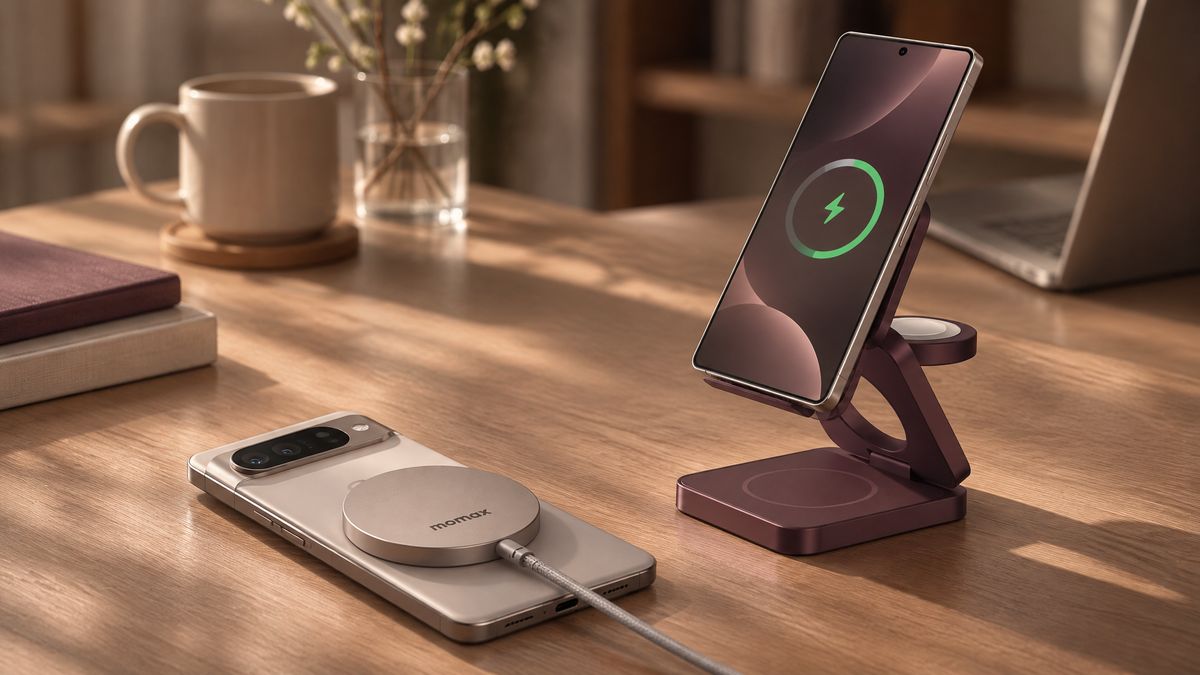

Yes, you can use a MagSafe charger with many Android phones, but compatibility depends on your exact phone and charger. Wireless charging support, magnetic attachment, and charging speed are three separate things. A phone may charge without snapping into place, and a magnetic case does not automatically increase its charging speed.
This guide explains what to check, how to set up your charger, and how to choose a magnetic charging option for your Android phone.
On This Page
- Can You Use a MagSafe Charger on Android?
- Samsung and Google Pixel Compatibility
- How to Use a MagSafe Charger With Android
- What to Check Before Buying
- Magnetic Wireless Charging vs. USB-C
- Why Is My Phone Not Charging?
- Two Momax Magnetic Charging Options
- Frequently Asked Questions
Can You Use a MagSafe Charger on Android?
Many Android phones can charge with a compatible MagSafe charger if they support the required Qi wireless charging standard. However, being able to charge wirelessly does not necessarily mean the phone will attach magnetically or receive the charger's maximum advertised power.
MagSafe is Apple's magnetic charging and accessory system. Qi is a wireless charging standard used across different manufacturers. Qi2 introduces a magnetic charging approach that helps align compatible phones and chargers. For background, see the Wireless Power Consortium's explanation of Qi2 and the Magnetic Power Profile.
Before choosing a charger, separate these three questions:
- Can it charge? Check the phone's wireless charging support and the charger's compatibility information.
- Will it attach magnetically? Check for built-in magnetic alignment or a compatible magnetic case.
- How fast will it charge? Check the supported power for that exact phone-and-charger combination.
Which Samsung and Google Pixel Phones Support Magnetic Wireless Charging?
Compatibility varies by model, so a brand name alone is not enough to determine whether magnetic wireless charging will work.
Samsung Galaxy Phones
Samsung lists supported Galaxy models in its wireless charging compatibility guide. Check your exact model rather than assuming every Galaxy phone supports wireless charging. Separately, check whether that model needs a compatible magnetic case for attachment.
Google Pixel Phones
Google's official Pixel charging guide distinguishes between wireless charging support on earlier models and Qi2 magnetic charging on Pixel 10 and later devices, excluding Pixel 10a. Google also recommends checking that the phone case is compatible with Qi2 charging.
For an earlier Pixel, check the exact model's wireless charging specifications and any case requirements before choosing a magnetic charger.
| Phone situation | What to check | What not to assume |
|---|---|---|
| Phone supports Qi wireless charging | Charger compatibility and magnetic case requirements | Qi support alone does not confirm magnetic attachment. |
| Phone supports Qi2 magnetic charging | Compatible charger, case, and supported charging power | The charger's maximum output is not automatically the phone's charging speed. |
| Phone has no wireless charging support | The manufacturer's supported wired charging options | A magnetic case or ring alone cannot add wireless charging hardware. |
How to Use a MagSafe Charger With Your Android Phone
- Check your exact phone model. Confirm its wireless charging standard in the manufacturer's specifications.
- Check the charger and case requirements. Look for explicit compatibility information. If your phone needs a magnetic case, choose one intended for that model and for wireless charging.
- Connect the recommended power source. Follow the charger's instructions for the adapter and cable. Check whether these are included or sold separately.
- Position the phone as instructed. Use the supported magnetic alignment or placement method for your setup.
- Confirm charging on the phone. Check the charging indicator before leaving it unattended. A magnetic connection alone is not proof that charging has started.
Avoid treating every magnetic ring or case as interchangeable. Follow the accessory manufacturer's placement and compatibility instructions.
What to Check Before Buying a Magnetic Charger for Android
Choose a charger around your phone and your routine, not just the largest wattage on the box.
- Exact phone compatibility: Does the product information cover your phone or its supported charging standard?
- Magnetic attachment: Does your setup require a model-specific magnetic case?
- Supported charging speed: What power can your phone receive with this charger?
- Power supply: What adapter and cable are required, and are they included?
- Form factor: Would a desk stand, charging pad, or portable power bank better suit your routine?
- Other devices: If choosing a multi-device station, check each charging position separately rather than assuming every watch or earbud model is supported.
Is Magnetic Wireless Charging Better Than USB-C?
Magnetic charging offers convenient placement and fewer plug-in steps. USB-C remains an alternative when you prefer a wired connection or your phone does not support wireless charging. Compare the manufacturer's specifications for your actual setup before deciding which is faster.
| Priority | What to compare |
|---|---|
| Charging speed | Your phone's supported wired and wireless power, plus the required adapter and charger |
| Convenience | A magnetic stand or pad for regular placement versus connecting a cable |
| Travel use | Size, weight, power-bank capacity, and the cables or adapters you need to carry |
| Compatibility | The exact charging standard, case requirements, and device support |
The European Commission's study on wireless charging technologies discusses efficiency, speed, and alignment as important considerations. Wireless charging standards also continue to evolve, as described in the Wireless Power Consortium's Qi2 25W announcement.
A 25W rating on a charger does not mean every Android phone will receive 25W. The phone, charger, power supply, and supported charging mode all need to match.
Why Is My Android Phone Not Charging on a MagSafe Charger?
The Phone Does Not Charge at All
Start by confirming that your exact phone supports wireless charging and that the charger supports it. Check the power adapter, cable, and placement against the product instructions. If available, test with a known-compatible charger to help narrow down the issue.
The Phone Attaches Magnetically but Does Not Charge
Magnetic attachment and wireless charging are separate capabilities. A magnetic case cannot add a charging coil to a phone without wireless charging hardware. For a supported phone, check case compatibility and alignment, and follow the manufacturer's troubleshooting instructions.
The Phone Charges More Slowly Than Expected
Compare the phone's supported charging power with the charger's advertised maximum. Check that the power supply meets the charger's requirements and consult the phone's charging-status information. Do not assume a higher-rated charger will override the phone's own limits.
The Setup Becomes Unusually Hot or Charging Keeps Stopping
Stop charging if you notice unusual heat, damage, or repeated interruptions. Consult the phone and charger manufacturers' safety guidance before continuing. Avoid repeated trial-and-error charging with an incompatible or damaged accessory.
Two Momax Magnetic Charging Options to Explore
Prefer a charging station for your desk or a power bank to carry with you? These two Momax options offer different formats. Before choosing either one for Android, confirm support for your exact phone and case. A 25W product rating does not guarantee 25W charging on every Android device.

FOR YOUR DESK OR BEDSIDE
1-Charge Q.Port² Qi2 25W 3-in-1 Magnetic Wireless Charging Station
A foldable charging station with an adjustable hinge and a supplied PD 45W AC charger. Its listed 3-in-1 setup is designed for iPhone, Apple Watch, and AirPods.
Using Android? Confirm your exact phone and case compatibility with Momax before buying. Individual Android models are not explicitly confirmed in the listed description. The watch and earbud positions are not universal.

PORTABLE POWER
1-Power Q.Pass² 10000mAh Qi2 25W Magnetic Power Bank
Explore portable charging with a 10,000mAh capacity, Qi2 25W wireless charging, magnetic attachment, and dual-output charging.
Check compatibility with your exact Android phone and case before buying. The 25W rating is the product maximum, not a guarantee of 25W charging on every phone.
Frequently Asked Questions
Do I Need a MagSafe-Compatible Case for My Android Phone?
That depends on the phone. Some models offer built-in magnetic charging alignment; others need a compatible magnetic case for attachment. Check your exact model and the case manufacturer's instructions.
Can a Magnetic Case Add Wireless Charging to Any Android Phone?
No. A magnetic case or ring alone does not add the wireless charging hardware that a phone needs.
Will a 25W Magnetic Charger Charge My Android Phone at 25W?
Not necessarily. Your phone must support the relevant charging mode and power level, and the charger and power supply must meet its requirements.
Does Google Pixel Support MagSafe-Style Charging?
Check the exact Pixel model. Google's charging guide lists Qi2 support for Pixel 10 and later devices, excluding Pixel 10a. Earlier models have different wireless charging capabilities and may need a compatible magnetic case for attachment.
Can I Use Wired and Wireless Charging Together to Charge Faster?
Do not assume the phone will combine the two inputs. Follow your phone manufacturer's instructions and choose a supported charging method rather than connecting both to try to increase speed.
Should I Choose MagSafe or Qi2 for an Android Phone?
Prioritize explicit compatibility with your phone over the label alone. Check the charging standard, magnetic attachment requirements, and supported power for the exact combination you plan to use.
Conclusion
Many Android phones can use a compatible MagSafe or magnetic wireless charger, but charging support, magnetic attachment, and speed must be checked separately. Confirm your exact phone model, choose an appropriate case if needed, and match the charger and power supply to the manufacturer's requirements.
Choose a desk or portable format around your routine, and verify compatibility before buying. Compare the two options in the Momax product section above.